Find the money leaking out of your software bill.
Licenses outlive the people who used them. Upgrades overlap with the plans they replaced. And half the apps your team signed up for were never approved by anyone. Unify365 finds all three — and refuses to invent a number when it can't be sure.
Four steps, start to proof.
Microsoft licenses, honestly counted
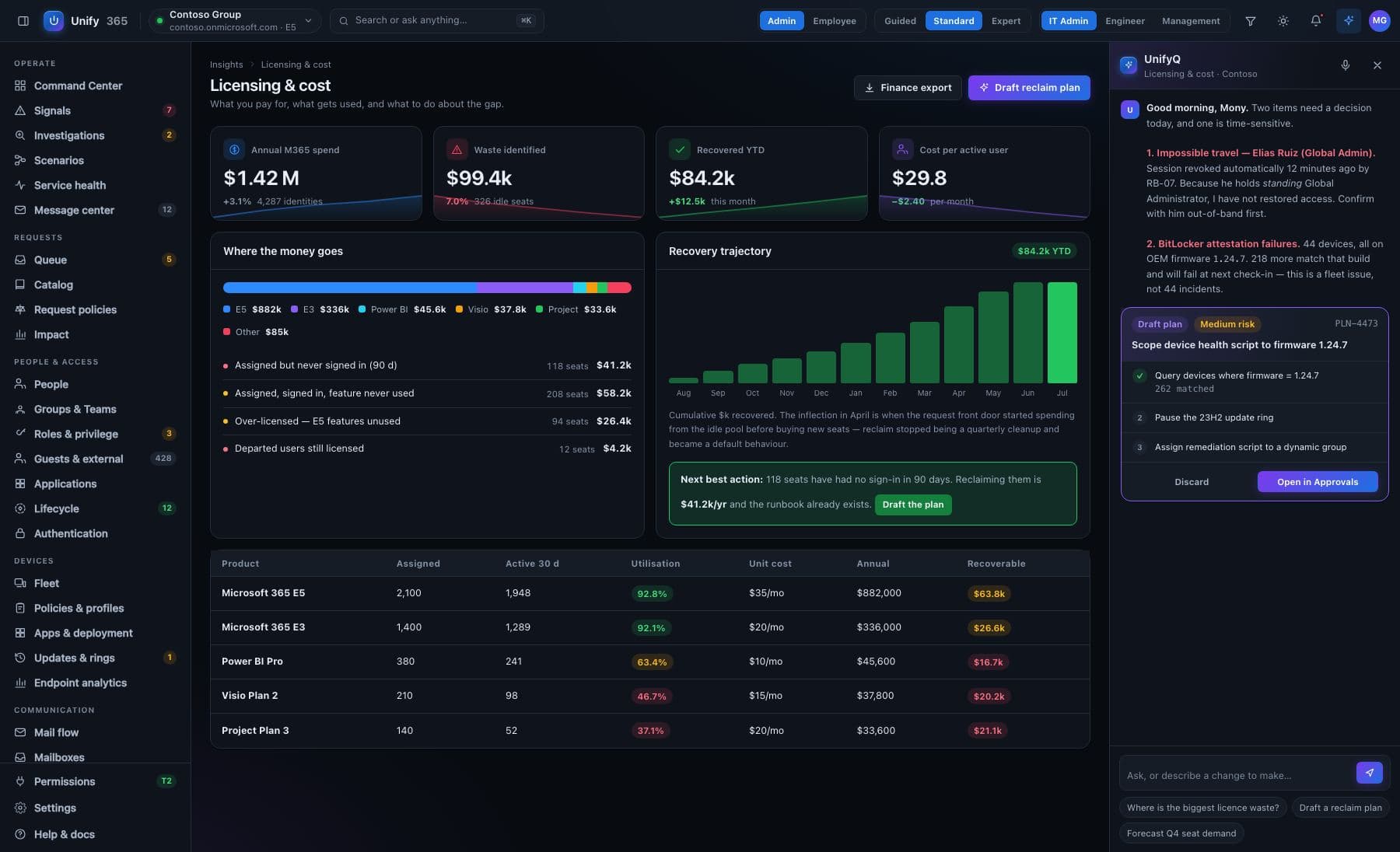
Idle seats, disabled-but-still-licensed accounts, and people holding two plans where one contains the other. Each finding shows its evidence, and reclaiming a seat is a one-approval change through the safety gate.
Beyond Microsoft — with zero setup
Because people sign in to their work apps with their Microsoft account, Unify365 can see which paid apps are actually being used — and which seats sit untouched — without connecting to any of those vendors.
Shadow IT surfaces itself
Sign-ins to apps nobody assigned are how you discover the tools your company adopted without telling you. They show up on the same screen — including, sometimes, forgotten things holding live credentials.
Decide, then act
The reclaim list is per-person and per-app. What you approve happens through the gate, is recorded, and can be undone. What you don't approve just sits there being honest.
Every change here walks through the five doors.
See it first
The exact before-and-after, spelled out — on the real, current data.
Type to confirm
You type the name of what's changing. No accidental clicks, ever.
Second opinion
A different admin must approve what you proposed. Routines can require two sign-offs.
On the record
Who asked, who approved, what changed, when — written down, permanently.
Undo button
Most changes can be rolled back for 30 days. It tells you honestly when one can't.
Built honest, on purpose.
“Unknown” is an answer
When usage genuinely can't be read for an app, its seats are marked unknown and excluded from totals — because a zero there would read as “nobody is paying for this,” which is the opposite conclusion.
The window is stated
“Nobody used this in 90 days” is only honest if you've been watching for 90 days. Every idle-time claim leads with how long we've actually been watching — and the window grows every week.
No made-up dollar figures
For non-Microsoft apps we don't know your contract price, so we don't invent one. We show idle seats; you multiply by what you actually pay.
What it won't pretend: usage tracking starts when you connect. In week one you'll see assignments, overlaps and disabled-account waste immediately — idle-time findings get stronger every week as the watching window grows.
Do I have to connect Zoom/Adobe/Salesforce for this to work?
Can it cancel licenses automatically?
Ask. Approve. Done.
Unify365 is in development. Join the waitlist and you’ll hear from us first when it’s ready for your company.
Look-only until you decide otherwise.