Know what changed, why it matters, and what to do — before it bites.
Most security problems aren't exotic attacks. They're a setting somebody changed on a Tuesday, a door left open after a project, a sign-in that shouldn't have worked. Unify365 watches continuously and explains in plain English — then hands you the fix, not just the alarm.
Four steps, start to proof.
It learns your normal
Baselines form around how your company actually behaves — how many files get shared on a typical day, where people sign in from. Alerts fire on real departures from normal, not on arbitrary thresholds that cry wolf.
Every alert tells the story
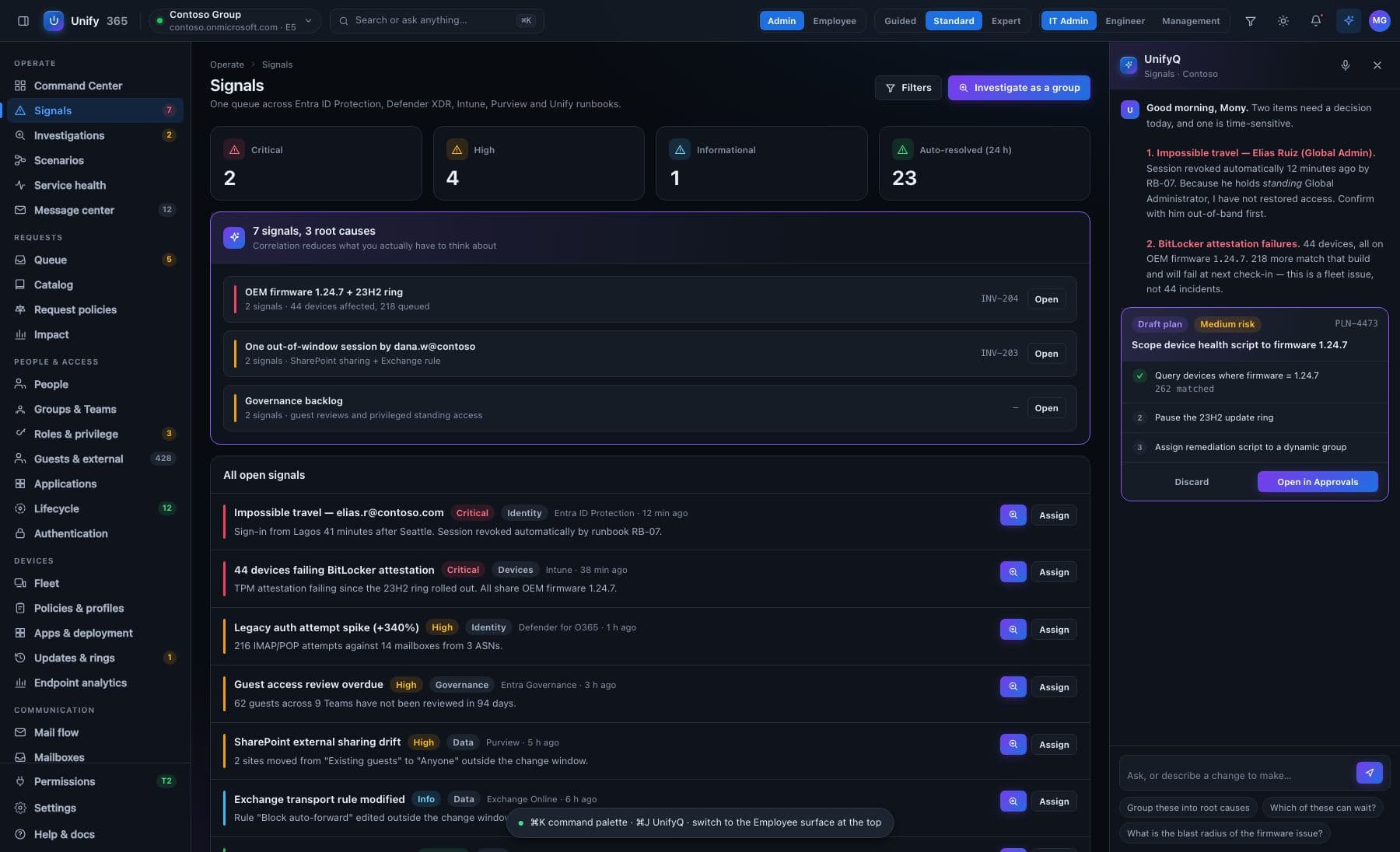
“Someone signed in from Osaka, then Lagos, 40 minutes later — that's physically impossible, so the password is likely stolen. Here's the account, here's what it can reach, here's the prepared response.” That's an alert. A red dot is not.
Test before you tighten
Before enabling a stricter sign-in rule, test it against the last 30 days of real sign-ins: who would have been blocked? Before deleting a group, simulate it: who loses access to what, through which chain? Consequences first, surprises never.
Fix through the gate
Every prepared fix runs through the same five doors as everything else — preview, confirm, optional second approver, record, undo. Nothing “auto-remediates” behind your back unless you've explicitly armed it to.
Every change here walks through the five doors.
See it first
The exact before-and-after, spelled out — on the real, current data.
Type to confirm
You type the name of what's changing. No accidental clicks, ever.
Second opinion
A different admin must approve what you proposed. Routines can require two sign-offs.
On the record
Who asked, who approved, what changed, when — written down, permanently.
Undo button
Most changes can be rolled back for 30 days. It tells you honestly when one can't.
Built honest, on purpose.
Honest four states
Every check reports one of four things: violated, passing, can't-be-checked (with the reason), or never-ran. “Can't check” never dresses up as “clean” — that distinction is the whole product.
The self-test
This engine watches its own house too: it flagged a risky admin setup in our own company and confirmed the fix when we made it. A monitor you can trust is one that tattles on its makers.
Blast radius on demand
“What breaks if I delete this?” is a simulation, not a guess — run on your real access map, showing inherited chains Microsoft's own UI won't display.
What it won't pretend: simulations name what they did NOT evaluate — sign-in frequency, app-specific permissions, timing. And when a monitoring source is down or unreadable, the affected checks say so instead of going quiet.
Where do alerts arrive?
Can it fix things automatically?
Ask. Approve. Done.
Unify365 is in development. Join the waitlist and you’ll hear from us first when it’s ready for your company.
Look-only until you decide otherwise.